Abstract Submission Guide
Submitting an abstract for the Lysosomal Disease Summit is a structured, step-by-step process. This guide walks through each stage of the submission portal to support a complete and successful entry.
Before beginning, be sure you have all the required author and abstract information prepared. Drafts are not saved within the system.
Section 1: Access the Submission Portal
To begin, navigate to the Lysosomal Disease Summit abstract portal.
Section 2: Complete Your Profile
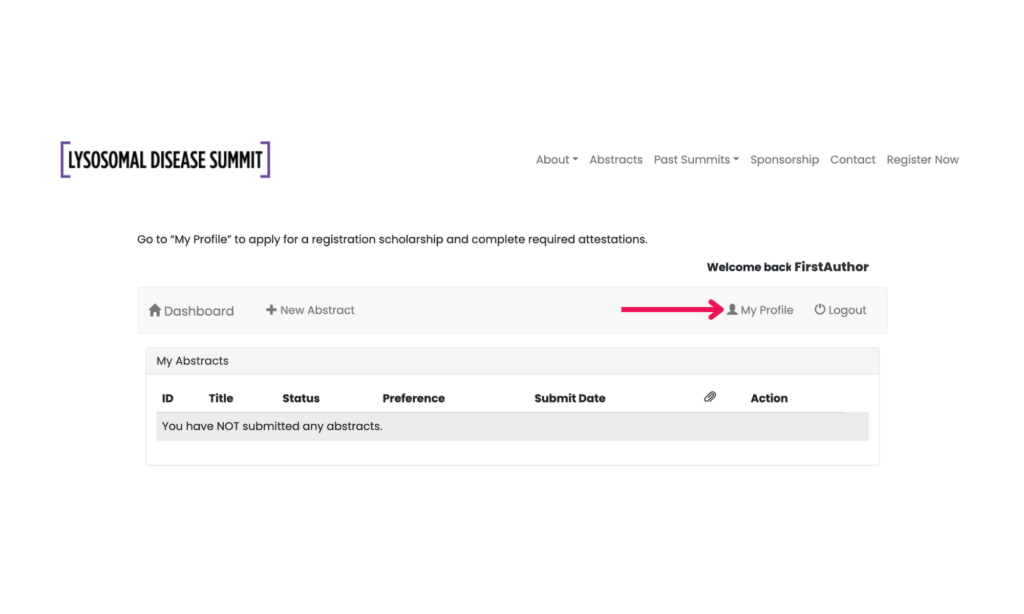
Before starting a new abstract, select My Profile from the dashboard.
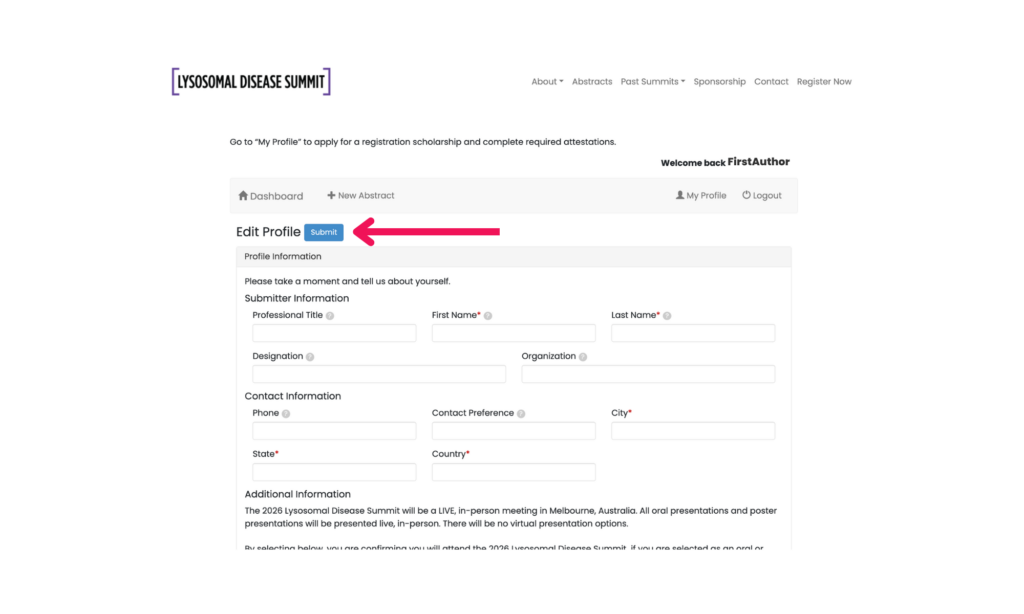
- Enter submitter information, which will apply to all abstracts submitted under your account
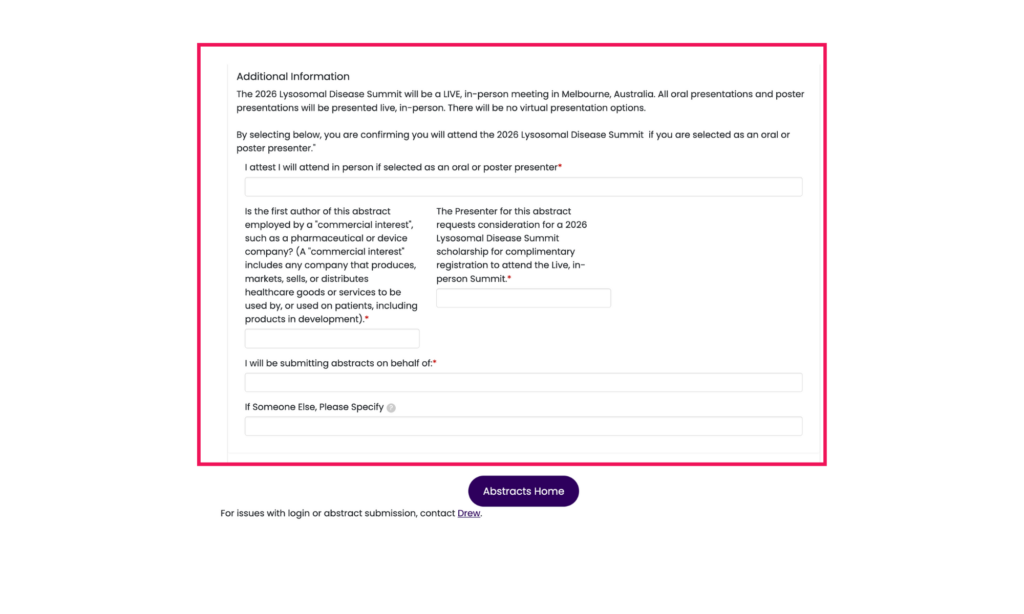
- In the Additional Information section:
- Answer “Yes” or “No” to questions 1–3
- Indicate whether you are submitting on your own behalf or for another individual
- Click Submit to save your profile before continuing
Section 3: Start a New Abstract
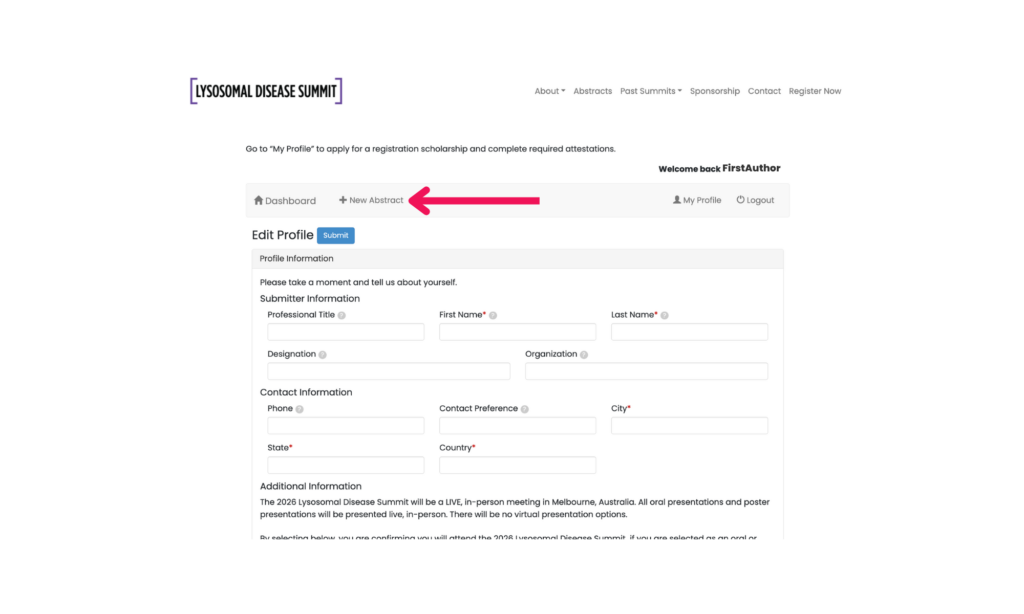
Once your profile is complete, select New Abstract to begin.
- Abstracts are limited to 500 words
- Do not include images, tables, or figures in your submission
- If accepted, these may be included later in presentation materials
Section 4: Enter Author Information
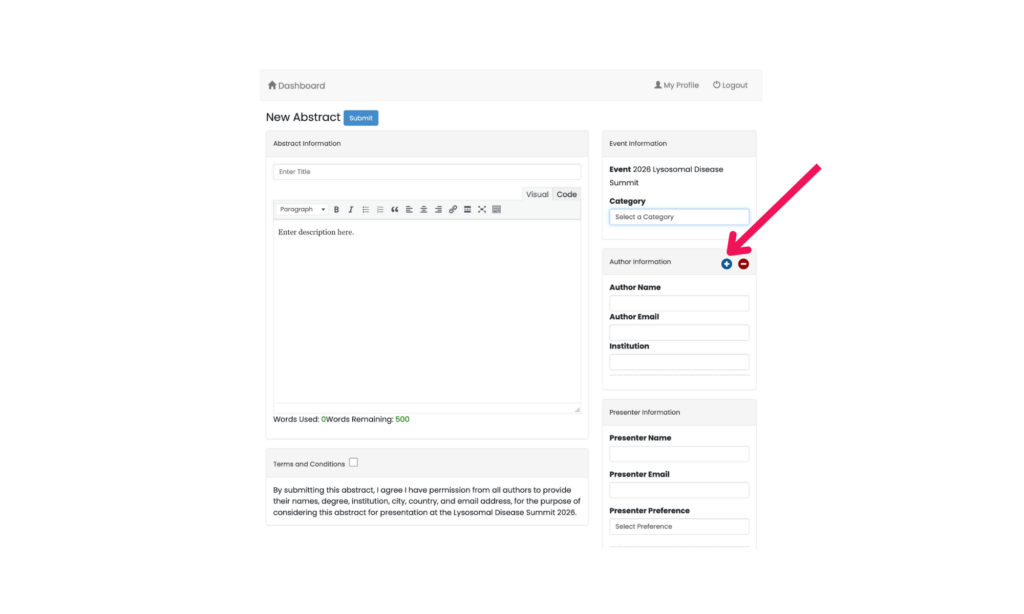
All fields must be completed for submission to be considered.
- Provide details for all authors, regardless of attendance
- Begin with the First Author (name, email, institution)
- Use the “+” icon to add additional authors in order
Section 5: Submit Your Abstract
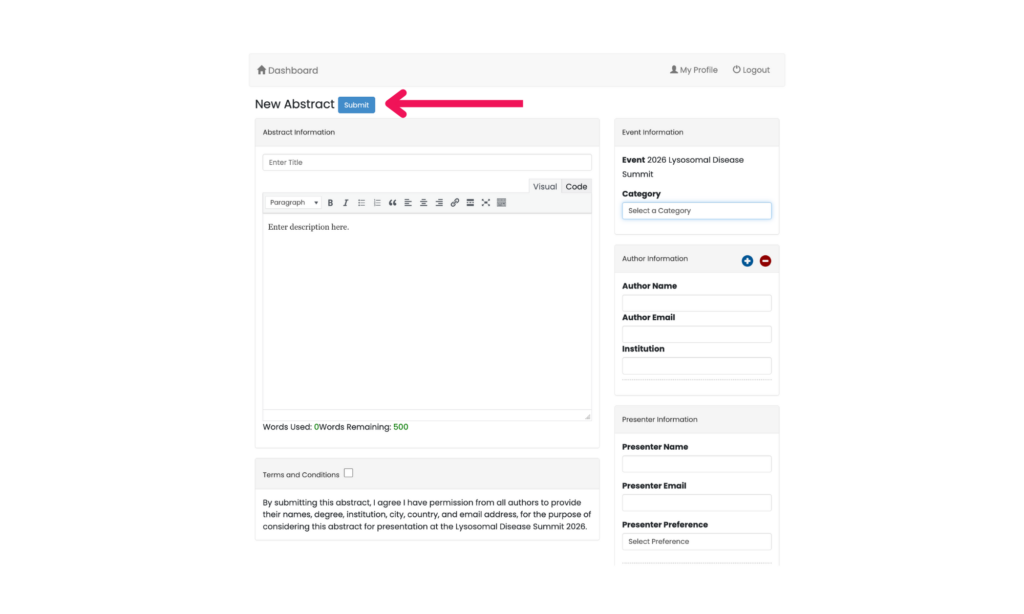
- Click Submit to finalize your abstract
- Drafts or partial submissions are not saved
Section 6: Confirm Submission
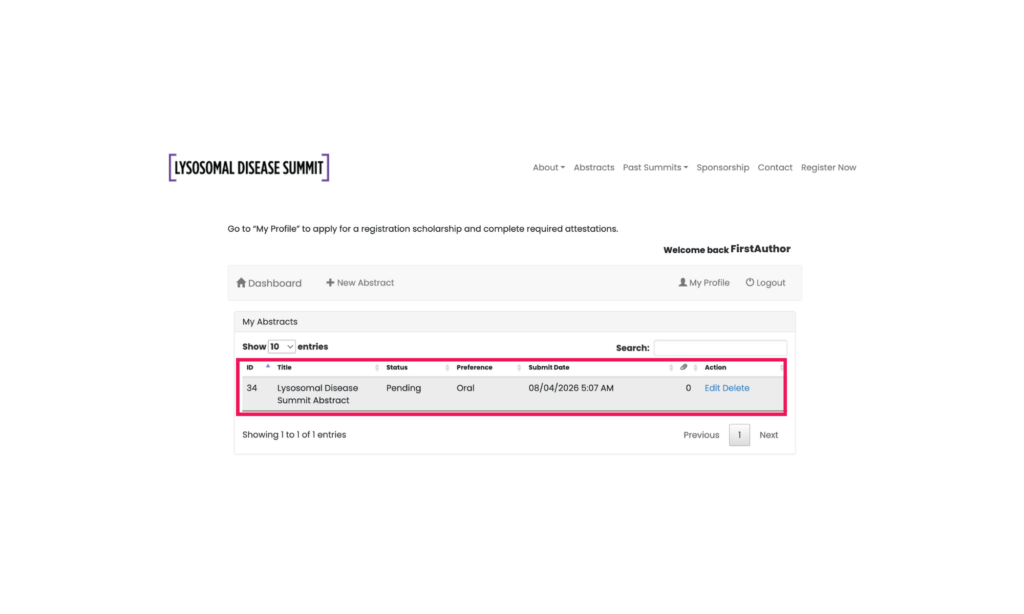
After submitting:
- You will return to the dashboard
- Your abstract will appear under My Abstracts with a status of “Pending.”
If your submission does not appear, it has not been received and must be re-entered.